Prevent potential conflictsbefore they interrupt your work.
A branch update should not be the first moment you discover that someone changed the same code. Commit+ moves that warning earlier, while you can still choose the cleanest next step.
The problem
You are midway through a local change. The base branch receives an update in the same area. In a normal workflow, that relationship only becomes visible after you begin the update—and the context switch has already happened.
Potential Conflict does not promise that every merge will be conflict-free. It gives you the relevant evidence before the merge, so the decision stays yours instead of becoming an urgent repair task.
How detection works
01
Commit+ resolves the current branch’s Git Flow base branch when one is configured; otherwise, it uses the remote’s default branch.
02
When that branch has commits the current branch does not, Commit+ asks Git which files changed and whether a merge already predicts conflicts.
03
For a file you inspect, Commit+ performs a three-way preview using the local version, merge base, and incoming version—then surfaces only predicted conflict blocks.
Step 1 — Know an update is waiting
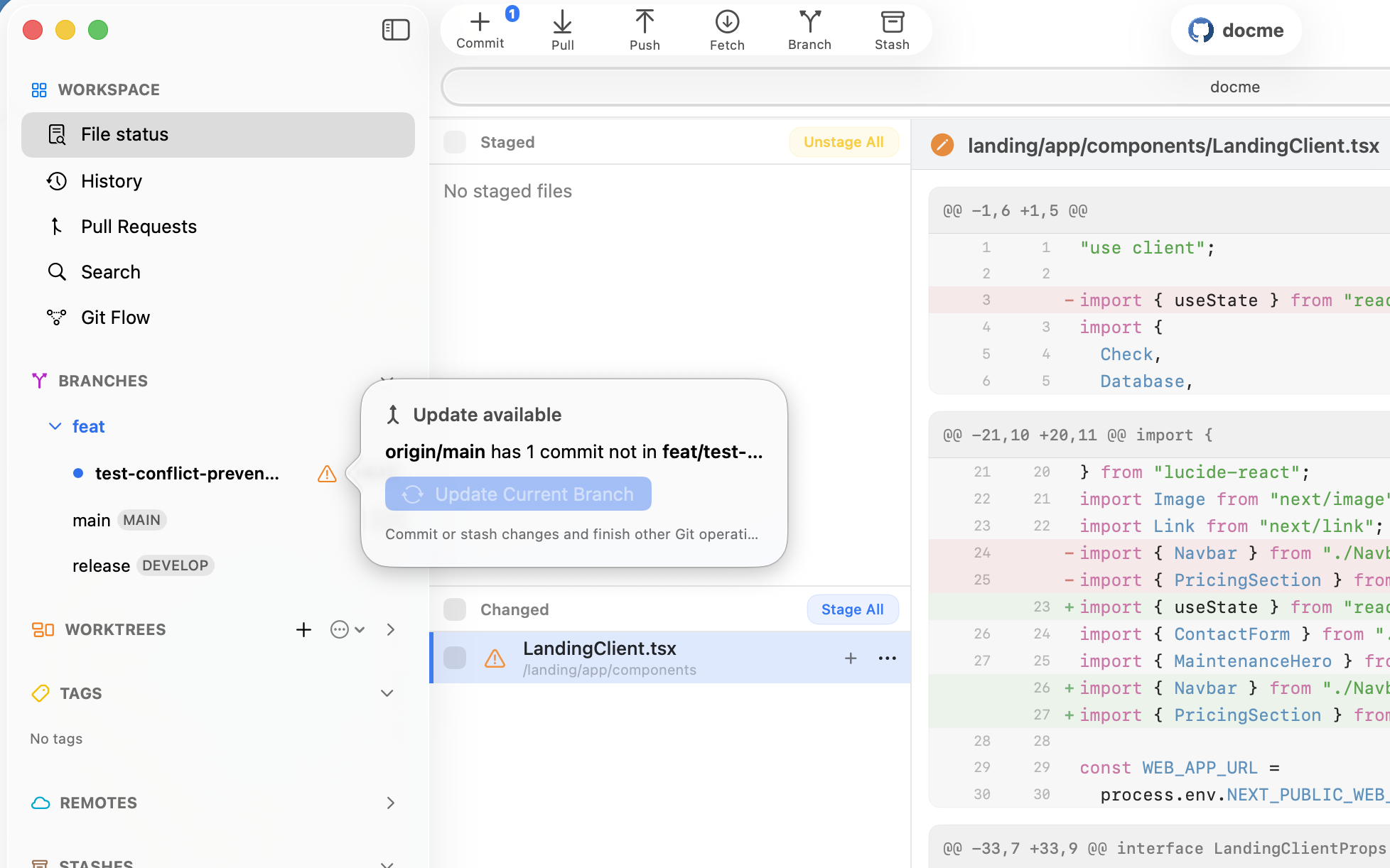
A feature branch can look perfectly healthy while its base branch moves forward. Commit+ shows that an update is available and keeps the action deliberately disabled while your working copy still needs attention.
That pause matters. It gives you time to see that an update is coming before a pull or merge turns an ordinary work-in-progress into an interruption.

Step 2 — Flag the file, not just the branch
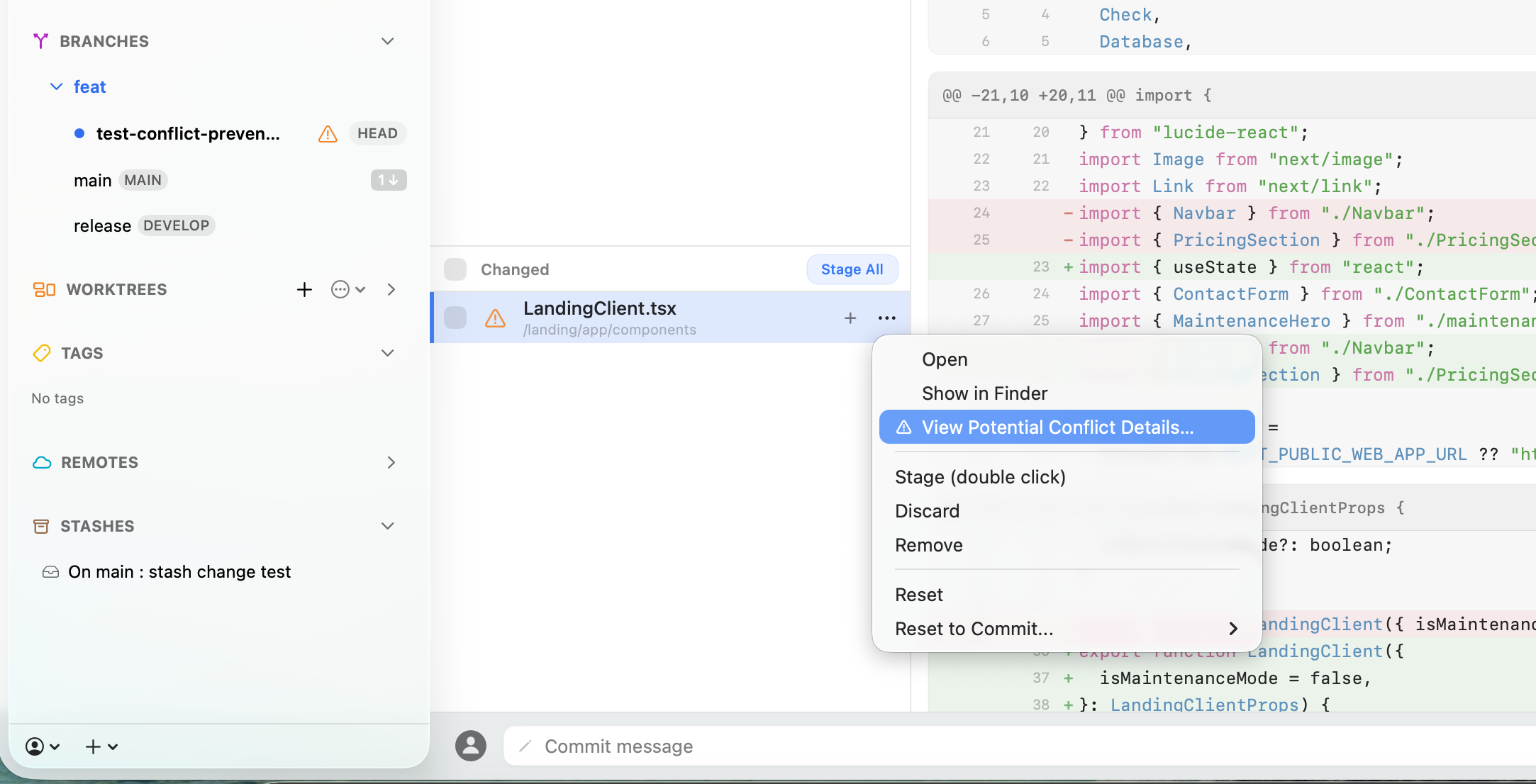
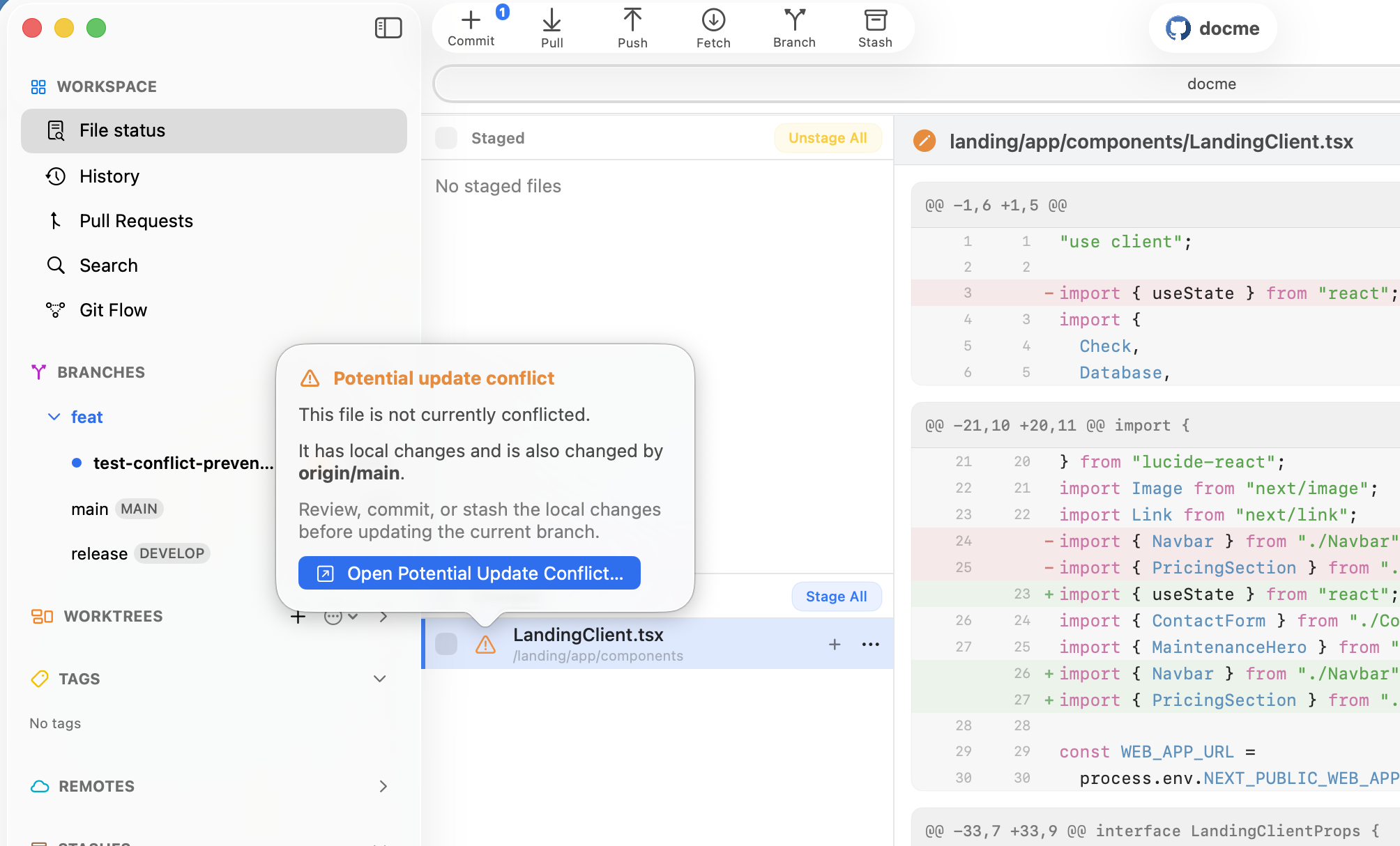
Commit+ compares the incoming change paths with the files in your local working copy. If both sides changed a file—or Git already predicts a merge conflict—an orange warning appears beside that file.
It is intentionally a potential-conflict warning. The file is not yet conflicted, and nothing has been changed for you. It simply tells you exactly where to focus before updating the branch.

Step 3 — Ask for the evidence
Select View Potential Conflict Details from the file menu to inspect the warning in context. There is no need to update first, switch tools, or hunt through the branch graph to understand why the file was flagged.
The warning becomes an informed choice: keep working, stage a safe change, commit or stash your work, or inspect the predicted overlap before you decide to update.

Step 4 — Rehearse the merge before it happens
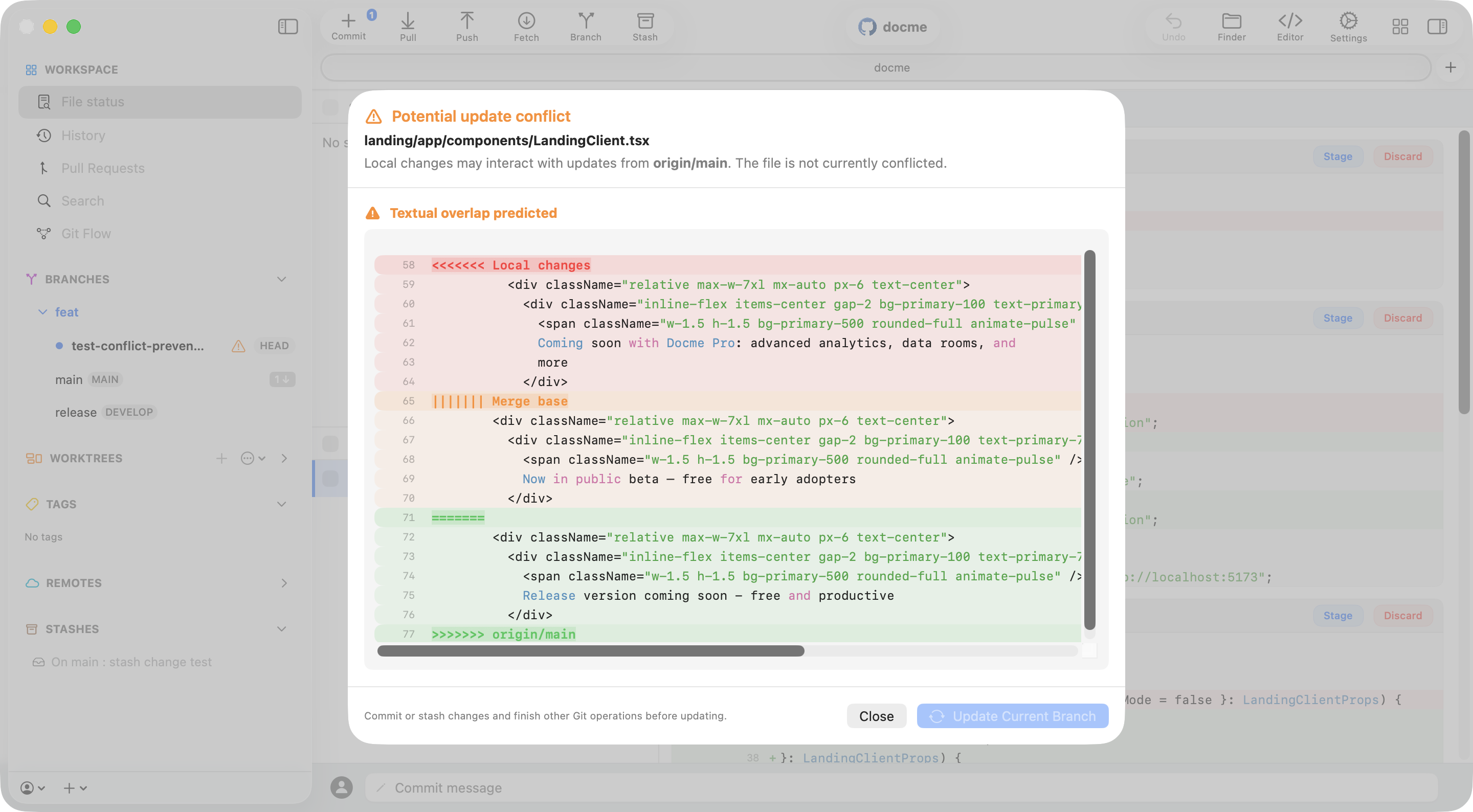
For the selected file, Commit+ runs a local three-way merge preview with your current content, the shared merge base, and the incoming branch version. When Git produces textual conflict markers, Commit+ extracts those blocks and presents them as a focused preview.
You can see which lines are local, which come from the base branch, and where the two changes meet—while your actual working copy remains untouched. Then commit or stash what you need and update on your own terms.

Update without the surprise
Review the evidence, protect your local work, and bring your branch up to date with the context you need to make the right call.
Read more about Prevent Potential Conflicts